Have Any Question?
 +44 7452 122728




 Back
Back



15+ Best Accounting Software for Your Small Business in 2026
Accounting Software simplifies Financial Management by automating tasks such as bookkeeping, invoicing, expense tracking, payroll processing, and financial reporting. Popular Accounting Software includes Zoho Books, Xero, Sage, FreshBooks, QuickBooks, Wave, etc., each offering distinct features for different business needs.
Table Of Contents


 44 7452 122728
 19-Jun-2025
Author-Maria Thompson
Ever searched your inbox for a missing invoice like it was buried treasure? Or played “guess the expense” with a crumpled coffee-stained receipt? If yes, it’s time to break up in chaos. Currently, new generation entrepreneurs are choosing Accounting Software for Small Business, that turns the financial mess into magic with just a few clicks.
Whether your side-hustling at midnight or running your empire on the go, you need tools to keep up. The best Accounting Software for Small Business saves time, cuts stress, and makes you look pro. This blog highlights top tools, key benefits, and pricing to help you choose the right fit.
Top Accounting Software for Small Businesses
Choosing the right accounting software can completely change how you manage your business finances. The best small business accounting software supports everything from invoicing and expense tracking to tax filing and real-time reporting, offering smart, time-saving features that make managing money easier, faster, and far less stressful.
1) Intuit QuickBooks Online
QuickBooks Online is one of the most popular accounting tools worldwide. It’s easy to use and designed with small business owners in mind.
Key Benefits:
1) Automates invoices and tax calculations
2) Offers real-time financial insights
3) Saves time with smart expense tracking
4) Supports payroll and employee payments
5) Connects easily with banks and apps
Pricing:
1) Starts Plan: £25.76/month (Simple Start)
2) Advanced Plan: £172.96/month
3) Payroll Add-on: £25.76- £58.88/month
2) Xero
Xero is a cloud-based accounting platform that’s very beginner-friendly. It’s especially useful for businesses that need to manage cash flow and collaborate with accountants.
Key Benefits:
1) Simplifies bank transactions
2) Enables smooth collaboration with accountants
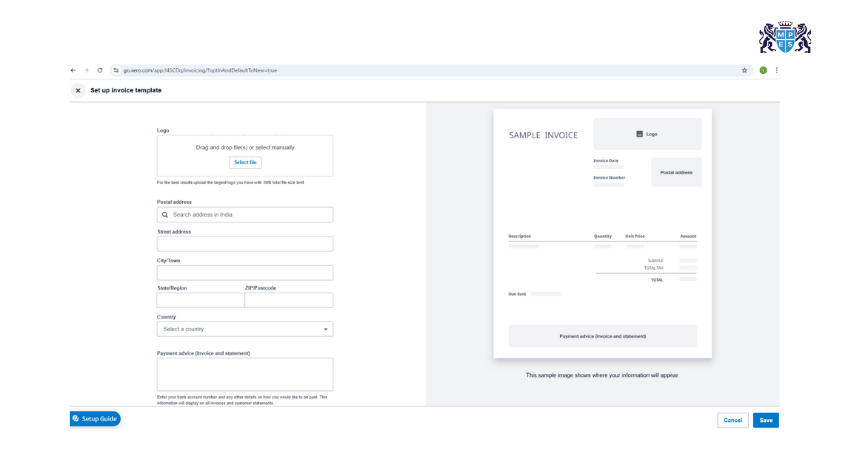
3) Provides custom invoice templates
4) Supports unlimited users
5) Easy to scale as business grows
Pricing:
1) Early: £14.72/month
2) Growing: £34.59/month
3) Established: £58.88/month
4) Intro Offers: Up to 90% off for first 3 months
3) Zoho Books
Zoho Books is a powerful tool from the Zoho suite. It’s ideal for small businesses looking for affordability and rich features.
Key Benefits:
1) Supports local and global tax laws
2) Handles recurring billing with ease
3) Offers smart workflow automation
4) Tracks stock and orders efficiently
5) Integrates with other Zoho apps
Pricing:
1) Free plan available (3 users)
2) Paid (Global): £ 14.72- £81.70/month
Develop skills in cost analysis, planning, and financial decision-making. Join our Managing Costs and Finance (MA2) Course now!
4) ZipBooks
ZipBooks is a modern tool with a simple design and solid features. It has a free plan, which is great for new businesses.
Key Benefits:
1) Helps track business performance with smart insights
2) Offers built-in time tracking
3) Speeds up billing and payments
4) Categorises transactions automatically
Pricing:
1) Free plan
2) Paid: £11.04- £25.76/month
5) FreshBooks
FreshBooks is perfect for freelancers and service-based businesses. It’s easy to use and has excellent customer support.
Key Benefits:
1) Tracks time and expenses from mobile
2) Automates client billing
3) Simplifies project collaboration
4) Enhances client communications
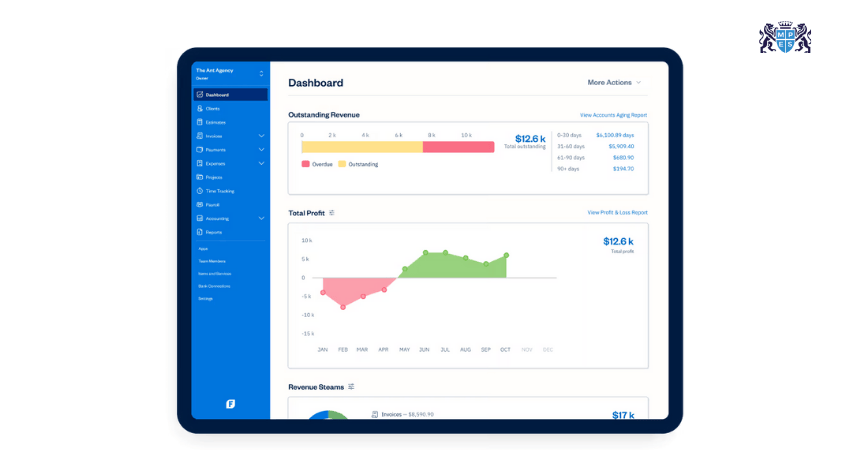
5) Provides clean, user-friendly dashboard
Pricing:
1) Lite: £7.73/month
2) Plus: £13.98/month
3) Premium: £23.92/month
4) Select: Custom pricing
6) Sage
Sage Business Cloud Accounting is well known for its reliability and strong industry reputation. It offers essential features such as tax compliance and real-time reporting.
Key Benefits:
1) Gives real-time financial snapshots
2) Assists in forecasting cash flow
3) Automates tax and VAT filing
4) Offers strong compliance and audit features
Pricing:
1) Starts Price: £220.07/year (Pro Accounting)
2) Premium: £330.47/year
3) Quantum: £1103.27/year
7) FreeAgent
FreeAgent is tailored for freelancers, contractors, and small service providers. It simplifies invoicing, expense tracking, and tax management in one place.
Key Benefits:
1) Auto-generates tax estimates
2) Manages invoices and projects in one place
3) Simplifies bank reconciliation
4) Tracks time, mileage, and expenses
Pricing:
1) £16.50/month (first 6 months, then £33/month)
2) Annual Plan: £165/year (first year, then £330/year)
3) Free for NatWest, RBS, Ulster Bank, and Mettle customers
8) NCH Express Accounts
NCH Express Accounts is desktop-based software offering basic yet reliable features. It's ideal for small businesses needing offline accounting solutions.
Key Benefits:
1) Supports detailed financial reporting
2) Works offline with full control
3) Easy for small stores or service providers
4) One-time cost; no monthly fee
Pricing:
1) Free version available
2) Paid: £94.94 one-time license
3) Quarterly Plan: £6.50/month
9) Wave
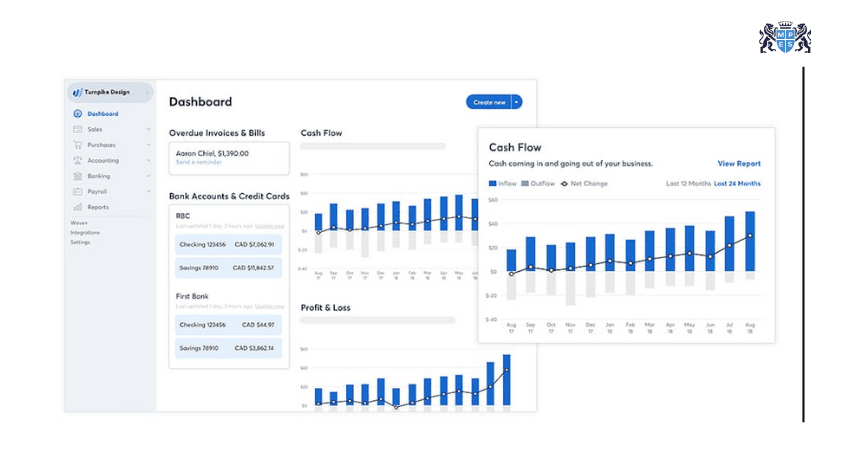
Wave is a completely free accounting solution with premium features for payment and payroll. It's perfect for freelancers and small businesses on a budget.
Key Benefits:
1) No-cost accounting and invoicing
2) Simple receipt capture
3) Syncs with bank accounts
4) Clean interface for solo entrepreneurs
Pricing:
1) Accounting and Invoicing: Free
2) Payroll: Starts at £14.72/month
3) Pro Plan: £11.78/month
10) Crunch
Crunch is designed for UK freelancers and small businesses, providing all-in-one online accounting. It also includes expert support for tax filing and compliance.
Key Benefits:
1) Includes support from real accountants
2) Handles self-assessment and company taxes
3) Simplifies invoicing and reporting
4) Fully HMRC-compliant
Pricing:
1) Starts at £99/month
2) Includes expert accounting support
11) Cloud Books
CloudBooks is a simple cloud-based tool for small businesses and agencies. It offers invoicing, time tracking, and expense management on one platform.
Key Benefits:
1) Manages time, teams, and billing
2) Offers client portal and team tools
3) Helps track expenses in real-time
4) Affordable and easy to use
Pricing:
1) Free plan
2) Paid: £7.35- £14.71/month
3) Lifetime Plan: £735.27 one-time
Build essential skills in cost management and financial planning. Join our Foundations in Financial Management (FFM) Course now!
12) Odoo
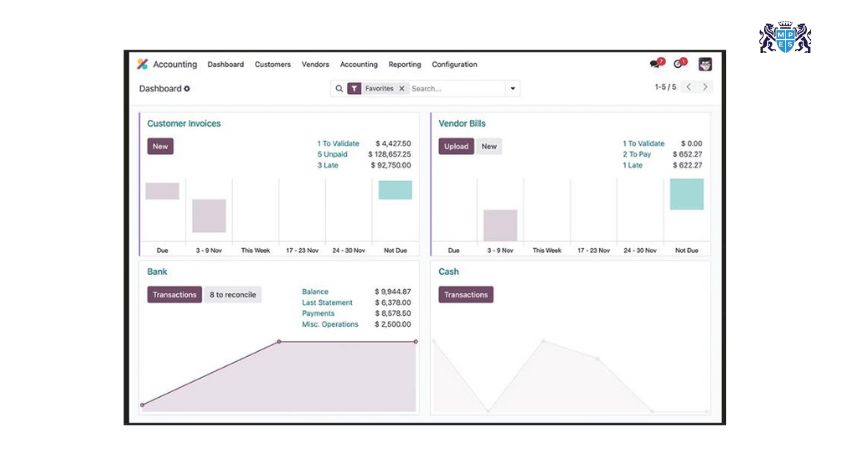
Odoo offers much more than accounting. It’s part of a full ERP suite, combining finance, inventory, CRM, and project management in one system.
Key Benefits:
1) Works across accounting, CRM, inventory
2) Helps manage multiple companies
3) Customisable and modular
4) Cost-effective for scaling businesses
Pricing:
1) Community Edition: Free
2) Enterprise: £18.33/month for all apps
13) Clear Books
Clear Books is a UK-based accounting software with a focus on simplicity and compliance. It’s ideal for small businesses needing VAT and HMRC support.
Key Benefits:
1) Built-in HMRC and VAT compliance
2) Easy online invoicing
3) Generates real-time financial reports
4) Handles payroll as an add-on
Pricing:
1) Small: £15/month
2) Medium: £31/month
3) Large: £32.80/month
14) Tide
Tide is a modern business banking app that also includes built-in accounting features. It simplifies expense tracking, invoicing, and VAT management.
Key Benefits:
1) Combines banking and bookkeeping
2) Tracks expenses automatically
3) Supports VAT and invoicing
4) Quick setup for new businesses
Pricing:
1) Free plan available
2) Paid Plans: £3.50-£69.99/month
15) Akaunting
Akaunting is free and open-source, great for businesses that want control and no recurring fees. It supports multi-currency, invoicing, and expense tracking.
Key Benefits:
1) No monthly fee if self-hosted
2)Full ownership of data
3) Supports vendors, customers, and multi-currency
4) Easy upgrade to cloud plan
Pricing:
1) Open Source: Free
2) Cloud Version: £5.89- £106.72/month
16) Brightbook
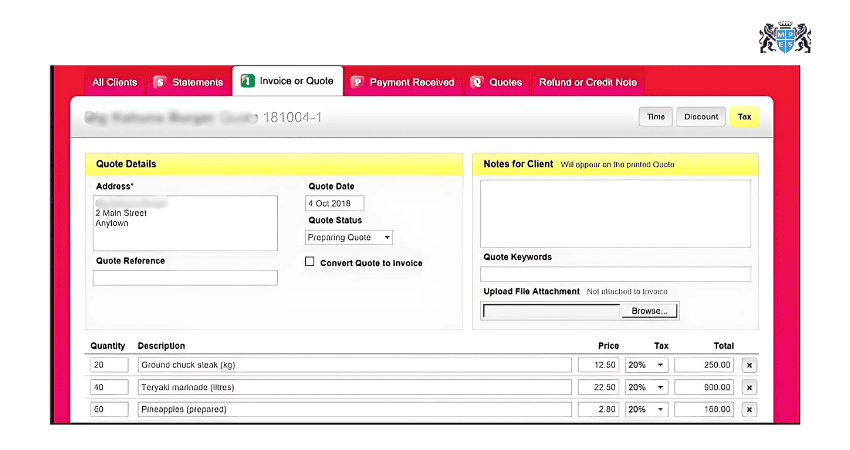
Brightbook is a free and minimalist accounting tool for freelancers and micro-businesses. It focuses on simple invoicing, expense tracking, and reporting.
Key Benefits:
1) Super simple and clutter-free
2) Great for freelancers with basic needs
3) Easy setup, no training needed
Pricing:
1) 100% Free
17) Ember
Ember is a UK-focused software designed to automate accounting for freelancers and startups. It simplifies tax filing, expense tracking, and bank integration.
Key Benefits:
1) Auto-fills and submits tax returns
2) Tracks income and expenses in real-time
3) Open Banking integrated
4) Saves time on bookkeeping tasks
Pricing:
1) Starting Plan: £7-£159/month
2) Full-service Plan: £1,749/year
Conclusion
Choosing the right Accounting Software for Small Business can save you time, reduce errors, and give you better control over your finances. Whether you need simple invoicing or full-featured tools, there’s a solution that fits your needs and budget. Explore your options, try a few demos, and pick the software that helps your business grow with confidence and clarity.
Develop essential skills in bookkeeping, ledgers, and double-entry systems. Join our Financial Accounting (FFA) Course now!
Frequently Asked Questions
Q. What is the Free HMRC Approved Accounting Software for Small Businesses?
Zoho Books is the leading free HMRC‑approved option for small businesses earning under £35,000, offering full MTD compliance and VAT filing. FreeAgent is free with eligible bank accounts, and QuickFile provides a free tier with MTD support.
Q. Is Sage or Xero Better?
If you want simple, user-friendly software with strong integrations, you can choose Xero. If you prefer robust payroll, compliance features, and traditional accounting controls, you can choose Sage. Both are reliable solutions for managing your finances and business accounting efficiently.
Q. Is Xero Recognised by HMRC?
Yes. Xero is recognised by HMRC for Making Tax Digital (MTD) compliance, allowing VAT returns to be submitted directly from the software while meeting UK tax reporting requirements.