Have Any Question?
 +44 7452 122728




 Back
Back




Cloud Accounting: Definition, Benefits and Limitations Explained
Cloud Accounting software stores financial data, offers real-time access, automates updates, and enables easy collaboration for managing business finances. By reducing manual processes and improving accessibility, it helps organisations manage records efficiently while supporting faster reporting and flexible Financial Management.
Table Of Contents


 44 7452 122728
 15-Jan-2025
Author-Maria Thompson
Imagine having the power to manage your finances wherever you are and whenever you need to, with just an internet connection. Cloud Accounting makes this possible by storing your financial data online, making it easy to track expenses, create invoices and generate reports in real-time.
As businesses increasingly adopt digital tools, it has become a go-to solution for managing financial operations from anywhere. It allows teams, Accountants and stakeholders to securely access the same data, improving accuracy, transparency and decision-making. In this blog, you will learn about what is Cloud Accounting, how it works, its benefits, limitations, and more. So read on!
Table of Contents
1) What is Cloud Accounting?
2) How Does Cloud Accounting Work?
3) Benefits of Cloud Accounting
4) Disadvantages and Risks of Cloud Accounting
5) Cloud Accounting vs Traditional Accounting
6) Top Cloud Based Accounting Software
7) When Should Your Company Use Cloud Accounting?
8) Conclusion
What is Cloud Accounting?
Cloud Accounting is a way to manage your financial records online using software that runs on the internet. Unlike traditional accounting, which uses software installed on your computer, Cloud Accounting allows you to access your data from anywhere using a device with internet access. This makes it easy to track expenses, create invoices, and view reports in real-time. It’s a modern solution that saves time and ensures your data is always backed up and secure.
One of the major benefits of Cloud Accounting is its convenience. You don’t need to worry about updating software or losing important data because everything is stored securely in the Cloud. Many Cloud Accounting tools also integrate with other apps, like payroll or tax software, to make managing finances even easier. This is especially helpful for small businesses and freelancers who want to keep their finances organised without hiring an Accountant.
How Does Cloud Accounting Work?
Cloud Accounting is a modern way to manage your finances using online software. It’s simple, secure, and lets you handle your accounting tasks from anywhere with internet access. Here’s how it works:
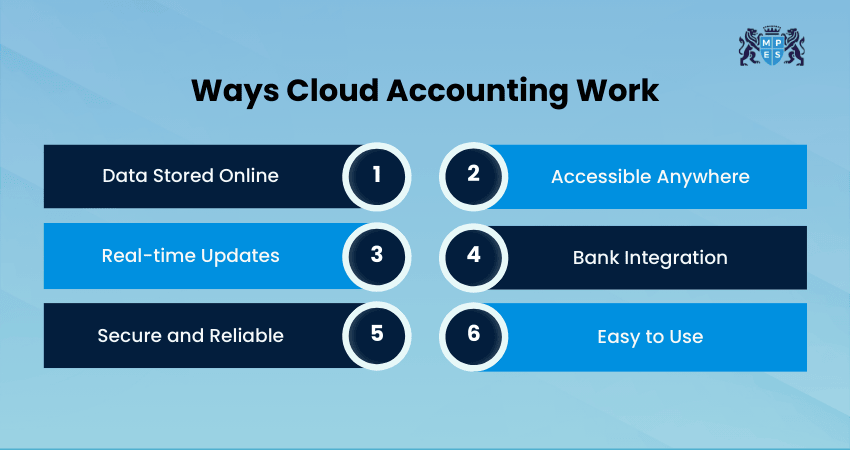
1) Data Stored Online
Your financial information is securely saved on internet servers, known as the "Cloud." This means you don’t have to rely on your computer's storage or worry about losing data. This also ensures that your data is accessible even in the event of hardware failure or accidental deletion.
2) Accessible Anywhere
You can log in to the software from a browser or a mobile app on any device with internet access. This makes it easy to manage your finances wherever you are. Whether you’re working from home, travelling or at a client meeting, your financial data is always within reach.
3) Real-time Updates
Transactions and financial data are updated instantly as you work. This ensures you always have the most accurate and up-to-date information. Such real-time insights allow you to react quickly to changes in your financial situation.
4) Bank Integration
The software links with your bank accounts to automatically import transactions. It saves you time by reducing the need for manual Data Entry. This feature also helps maintain accurate records and simplifies bank reconciliations.
5) Secure and Reliable
Cloud Accounting uses strong security measures like encryption to protect your data. Regular backups ensure your information is safe, even if your device is damaged. With secure servers and continuous monitoring, your financial data is guarded well against cyber threats.
6) Easy to Use
There’s no need to download or install anything, as the software works entirely online. Updates happen automatically, keeping the system smooth and hassle-free. This removes the need for technical expertise, making it accessible even for non-tech-savvy users.
Strengthen your financial reporting skills and interpret financial statements confidently with the Financial Reporting (FR) Course now!
Benefits of Cloud Accounting
Cloud Accounting offers several advantages that make Financial Management simpler and more efficient for businesses. Let’s look at the key benefits below:
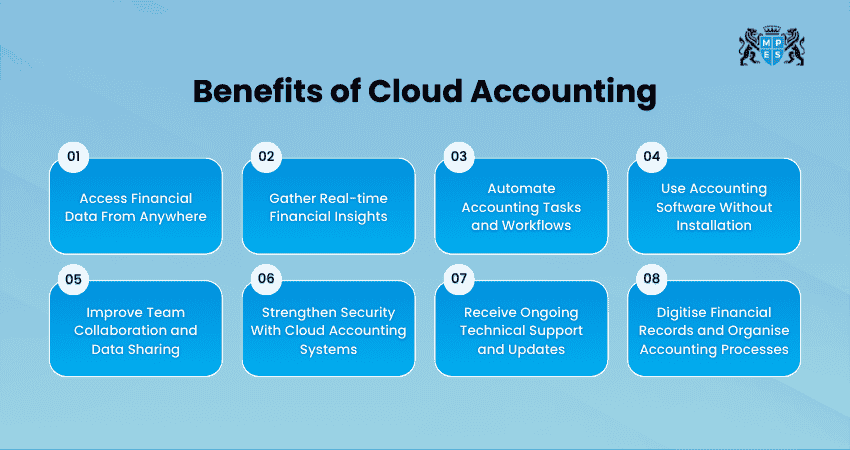
1) Access Financial Data From Anywhere
Cloud Accounting allows you to view and manage financial data from any internet-enabled device. This flexibility helps business owners stay updated on their finances anytime, making it easier to monitor transactions and respond quickly to financial changes.
2) Gather Real-time Financial Insights
Cloud Accounting systems update financial reports instantly, giving you real-time visibility into income, expenses, and profits. With updated financial information available at all times, businesses can track performance more accurately and make informed decisions quickly.
3) Automate Accounting Tasks and Workflows
Automation is one of the key benefits of Cloud Accounting. The software can automatically handle repetitive tasks, such as expense tracking, Data Entry and report generation. i.e Financial statements, balance sheet and more. This reduces manual effort, minimises errors and allows businesses to focus more on strategic planning.
4) Use Accounting Software Without Installation
Cloud Accounting works entirely online, where there is no need to download or install software on computers. Here, updates are applied automatically by the provider, allowing users to maintain access to the latest features without worrying about maintenance or technical issues.
5) Improve Team Collaboration and Data Sharing
With Cloud Accounting, financial information can be easily shared with team members, Accountants, or Financial Advisors. This means that multiple users are enabled to access the same data simultaneously, improving communication, collaboration and overall financial transparency.
6) Strengthen Security With Cloud Accounting Systems
Cloud Accounting platforms use advanced security measures, such as encryption, secure servers and regular backups, to protect financial information. In cases where a device is lost or damaged, the data remains safe in the Cloud and can be accessed from another device.
7) Receive Ongoing Technical Support and Updates
Most Cloud Accounting providers offer technical support through channels, such as chat, email or phone. This makes sure users can rapidly resolve urgent issues and continue managing their financial operations without interruptions.
8) Digitise Financial Records and Organise Accounting Processes
Cloud Accounting helps businesses store invoices, receipts and financial records digitally, thus reducing the need for paper documents. This keeps financial information organised and helps businesses create an efficient and environmentally friendly workspace.
Develop audit and assurance skills to evaluate financial integrity and risk with the Audit and Assurance (AA) Course – Join now!
Disadvantages and Risks of Cloud Accounting
While Cloud Accounting offers many advantages, it also comes with certain risks and limitations that businesses should consider before adopting it. Let’s look at them below:
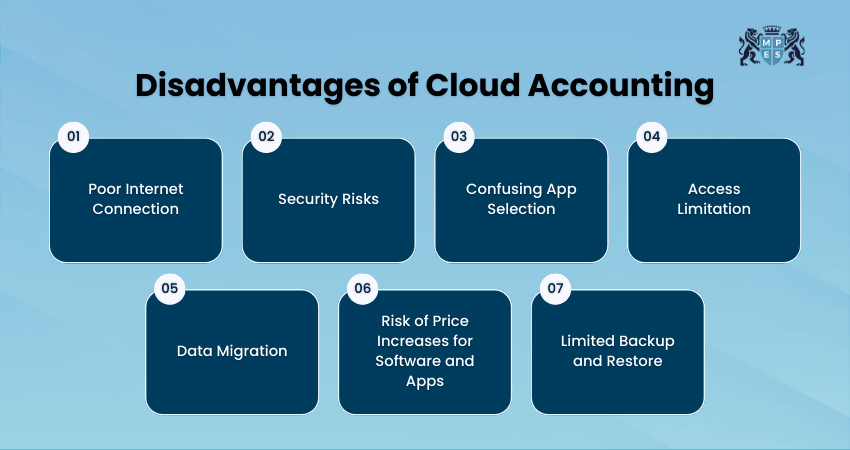
1) Poor Internet Connection
Cloud Accounting systems depend entirely on internet access. If the internet connection is slow or unavailable, users may not be able to access financial data or complete accounting tasks. This can become frustrating, especially when working in areas with unstable networks.
2) Security Risks
Since financial data is stored online, Cloud Accounting platforms can become targets for cyberattacks. Weak passwords or poor security practices may allow hackers to access sensitive information.
3) Confusing App Selection
The growing number of Cloud-based accounting apps and integrations can make choosing the right solution difficult. Businesses must carefully evaluate different apps to ensure they meet their needs and maintain strong security standards.
4) Access Limitation
Some Cloud Accounting software may have regional or platform restrictions. Businesses operating across multiple countries or branches may find that certain features, languages or services are not available in all locations. This can create challenges for organisations that require a single system for global Financial Management.
5) Data Migration
Moving financial data from traditional accounting systems to Cloud platforms can be complex. Factors, such as multiple currencies, bank accounts, inventory records and historical transactions, can make the migration process difficult.
6) Risk of Price Increases for Software and Apps
Usually, Cloud Accounting software operates on a subscription model. Over time, providers may increase prices or charge additional fees for new features, users or integrations. Businesses should review pricing plans carefully to avoid unexpected costs as their accounting needs grow.
7) Limited Backup and Restore
Although Cloud platforms maintain backups and audit logs, restoring previous versions of financial data can sometimes be slow or complicated. Recovering specific records before major tasks, such as tax filing or large data imports, may take extra time compared to traditional desktop backups.
Cloud Accounting vs Traditional Accounting
Some of the major differences between Cloud Accounting vs traditional accounting are:

1) Access to Data:
a) Cloud Accounting: You can access your data from anywhere via any device that has proper internet access.
b) Traditional Accounting: Data is stored on a single computer, so you must be in the office to use it.
2) Software Updates:
a) Cloud Accounting: Updates happen automatically, so you always have the latest version.
b) Traditional Accounting: You need to manually update the software, which can be expensive and more time-consuming.
3) Collaboration:
a) Cloud Accounting: Different users can access and work on the same data at the same time, even from different locations.
b) Traditional Accounting: Sharing data requires transferring files, which can lead to version issues or delays.
4) Data Security:
a) Cloud Accounting: Data is stored securely in the Cloud with encryption and regular backups.
b) Traditional Accounting: Data is stored locally, making it vulnerable to hardware damage or theft without proper backups.
5) Cost and Maintenance:
a) Cloud Accounting: Typically uses a subscription model, and maintenance is handled by the provider.
b) Traditional Accounting: Requires a one-time purchase, but you may need to pay for updates and IT support.
6) Automation and Features:
a) Cloud Accounting: Offers advanced features like task automation, bank integration, and real-time updates.
b) Traditional Accounting: Often lacks automation and requires more manual effort to complete tasks.
Build practical accounting expertise with ACCA Applied Skills Training today!
Top Cloud Based Accounting Software
Here are the top Cloud Accounting Software:
1) FreshBooks
FreshBooks is a simple Accounting Software for small businesses and freelancers. It helps you manage invoices, expenses and payments easily.
Key Highlights:
1) Easy Invoicing: Craft and send professional invoices quickly.
2) Expense Tracking: Keep monitoring your expenses and categorise them for better organisation.
2) QuickBooks Online
This is a popular choice for all businesses. It makes managing finances and generating reports fast and simple.
Key Highlights:
1) Bank Integration: Automatically sync your bank accounts and transactions.
2) Real-time Reports: Get instant insights into your business with easy-to-generate reports.
3) Zoho Books
This software is an affordable option for small businesses to manage their finances. It offers great tools to simplify tasks like invoicing and Tax Management.
Key Highlights:
1) Automated Workflows: Save time with features like automatic invoicing and payment reminders.
2) Tax Management: Easily calculate and organise taxes for filing.
4) NetSuite ERP
NetSuite ERP is a powerful software for larger businesses with complex needs. It combines accounting, inventory, and Customer Management in one platform.
Key Highlights:
1) Comprehensive Features: Includes tools for accounting, inventory and Customer Relationship Management.
2) Scalable: Designed to grow with your business as its needs become complex.
5) Bonsai
Bonsai is perfect for freelancers and self-employed professionals. It helps you manage projects, contracts and payments all in one place.
Key Highlights:
1) Contract and Proposal Management: Create and send professional contracts and proposals easily.
2) Integrated Time Tracking: Track your work hours and link them directly to invoices.
Learn about double-entry bookkeeping with our Accounting (AC) Course – Join today!
When Should Your Company Use Cloud Accounting?
Cloud Accounting is ideal for businesses looking for a modern and efficient way to manage their finances. Here are the key situations when your company should consider using Cloud Accounting:
1) Need Flexibility: If you want to access your financial data from anywhere, especially for remote work or managing finances on the go, as highlighted in Financial Accounting in a Remote Work Era.
2) Save Time: When you need to automate tasks like invoicing, expense tracking and bank reconciliations to focus on growing your business.
3) Reduce Paperwork: If you want to go paperless and organise your financial records digitally, making them easier to manage and store.
4) Enhance Security: If you want a safer way to store your financial data with encryption and regular backups in the Cloud.
5) Getting MTD-compliant: Making Tax Digital (MTD) is a UK government initiative requiring businesses to keep digital records and submit tax returns online. Cloud Accounting software simplifies compliance by meeting these requirements.
6) Outdated Systems: When your current accounting methods or software feel outdated, or hard to manage, switching to Cloud Accounting can simplify everything.
Conclusion
Cloud Accounting is helping businesses transform the way they manage their finances by offering greater flexibility, real-time insights, and improved collaboration. By reducing manual work and enabling secure access to financial data from anywhere, it helps organisations streamline financial operations and make better decisions, support long-term efficiency, scalability and smarter Financial Management.
Learn to identify financial risks with our Financial Management (FM) Course – Join today!
Frequently Asked Questions
Q. What is the Future of Cloud Accounting?
The future of Cloud Accounting looks bright, with more businesses moving to the cloud for better flexibility and security. As technology improves, Cloud Accounting will offer even more automation and advanced features. It’s expected to become the standard for managing finances in the coming years.
Q. Is Cloud Accounting Expensive?
Cloud Accounting can be affordable, especially with subscription models that scale with your business needs. It can save you money by reducing the need for IT support and physical infrastructure. The overall cost often depends on the software and features you choose.
Q. Will Accountants be Replaced by AI?
While AI can help automate certain tasks, accountants won’t be fully replaced. Instead, AI will assist accountants by handling repetitive tasks, allowing them to focus on complex aspects of Financial Management. The human touch will still be crucial for strategic decision-making.